Your next set, first
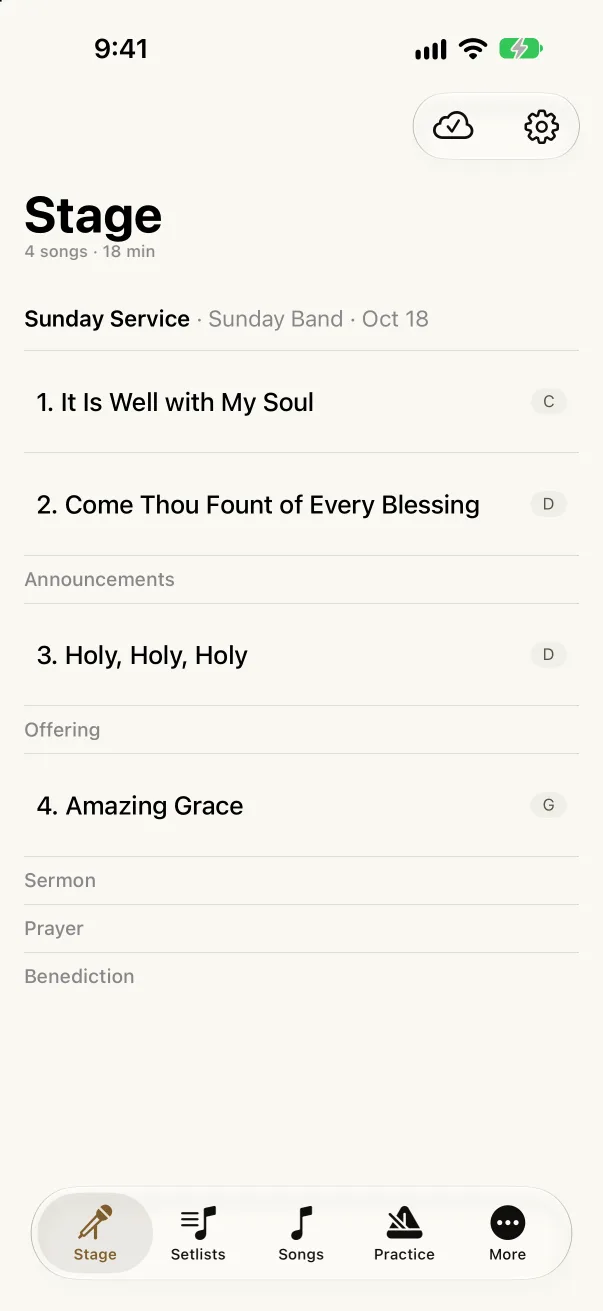
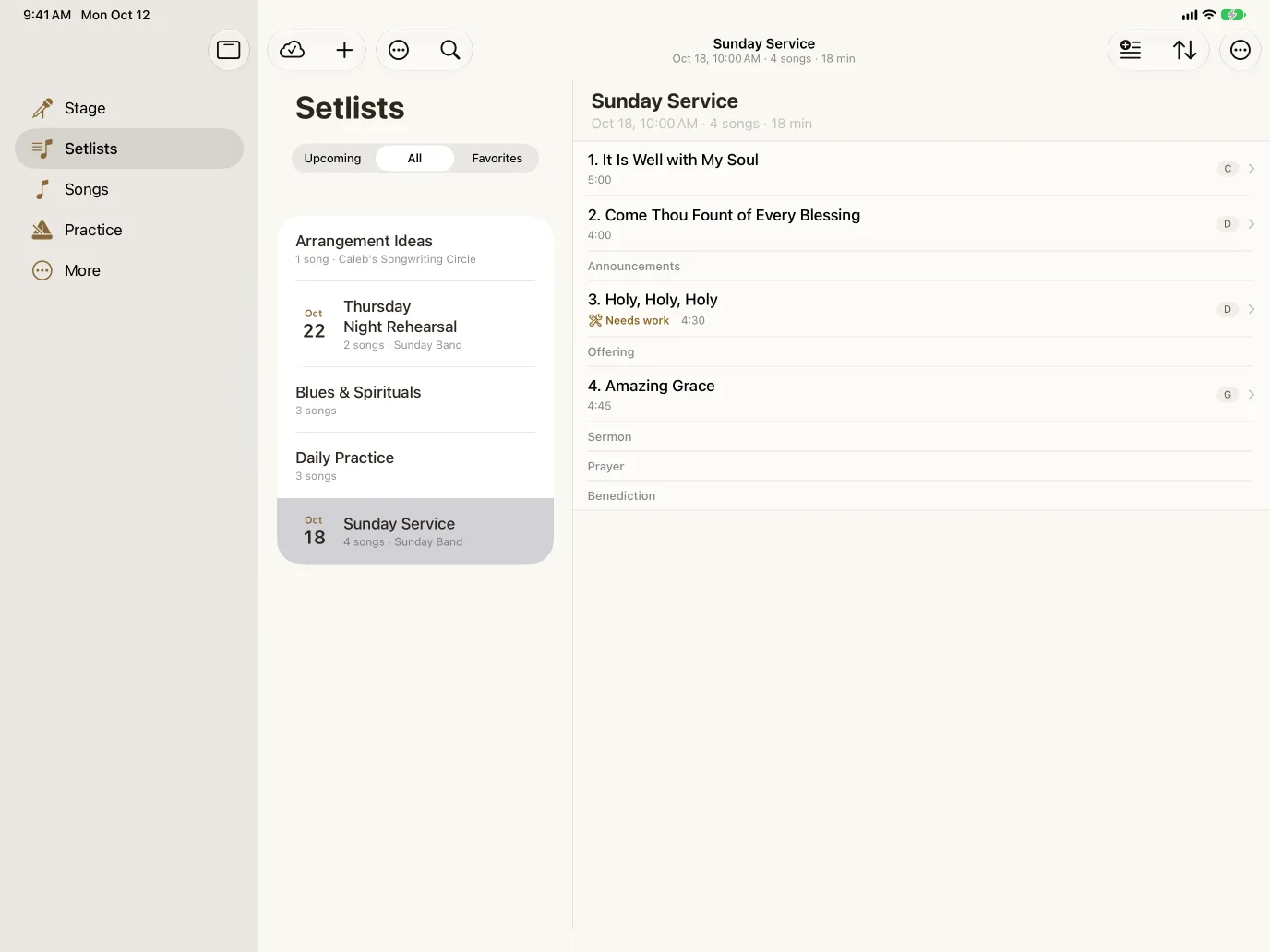
The Stage tab opens the set you’re playing next, in order, with each song’s arrangement and key.
A non-hot-reloadable change occurred and we must rebuild.
Akordo for iPhone & iPad · Public beta
Your band’s charts, setlists, and recordings, on the phone in your pocket and the iPad on your stand. Practice on the way to rehearsal, then play the set without a binder.
Free on iPhone and iPad. Needs iOS 26 or later.
Signs in with your Akordo account, so your library comes with you.
From the car to the stage
The web is where your band plans. The app is where you play.
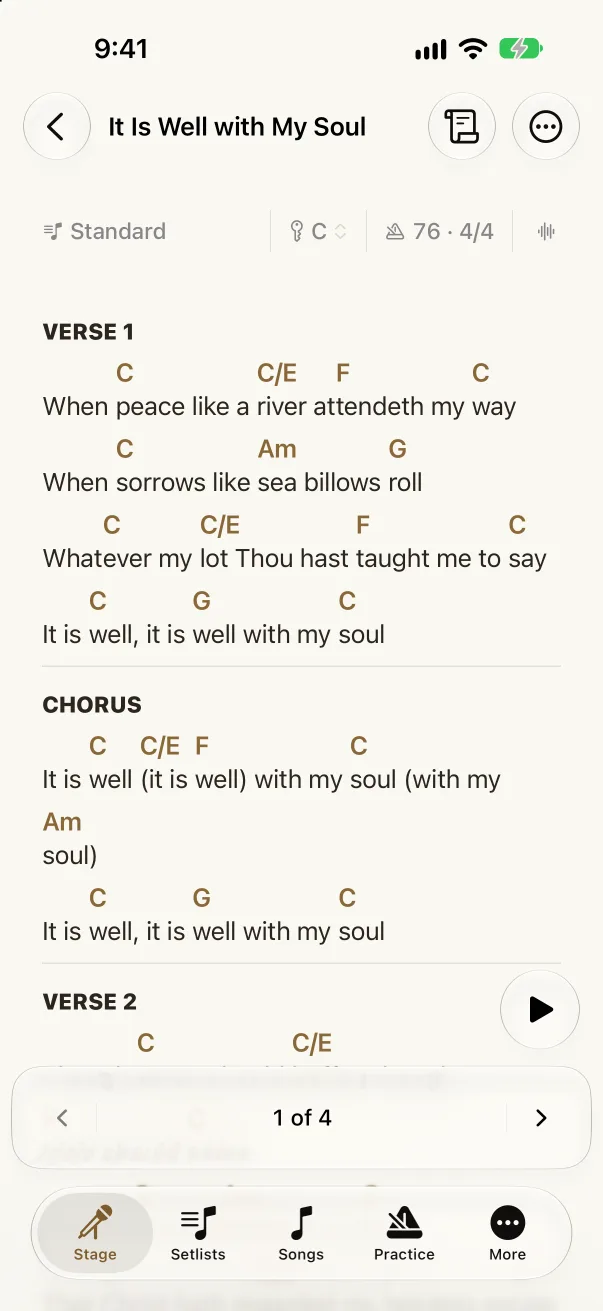
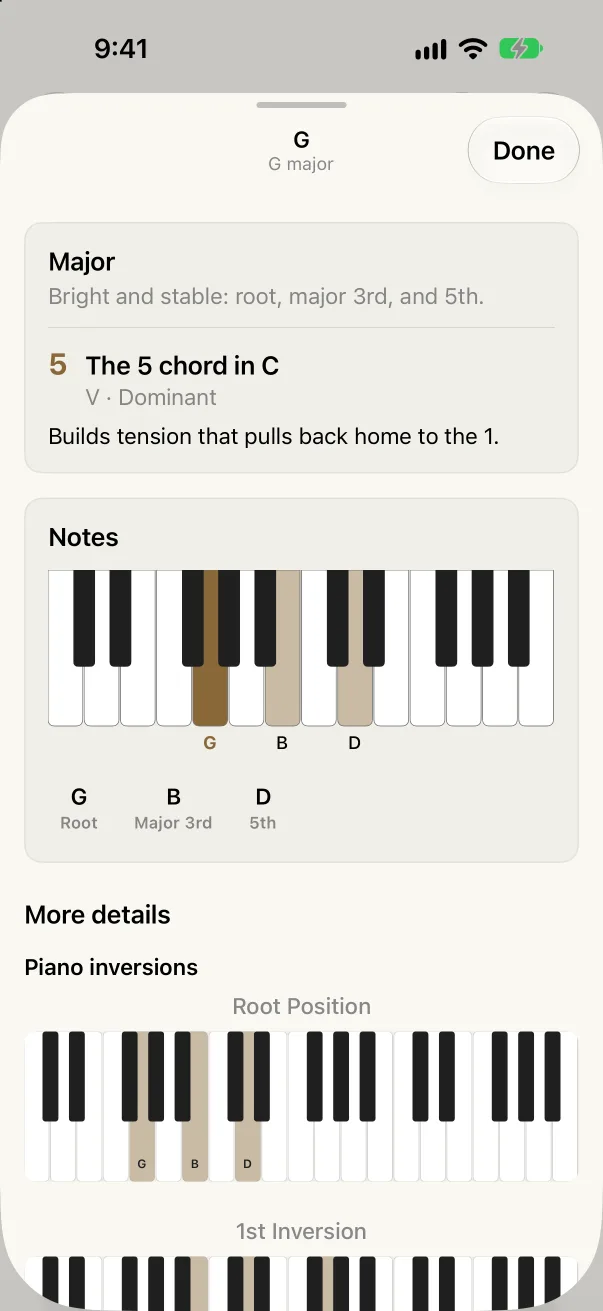
Open the song in the key you’ll play it, play along with the band’s recording, and tap any chord to see its notes and what it does in the key. A spare ten minutes on the bus becomes practice.
Build the running order with its cues, mark the song that needs work, and see who’s playing. Each musician answers Yes, Maybe, or No from their own phone, so you know who’s on bass before rehearsal, not during it.
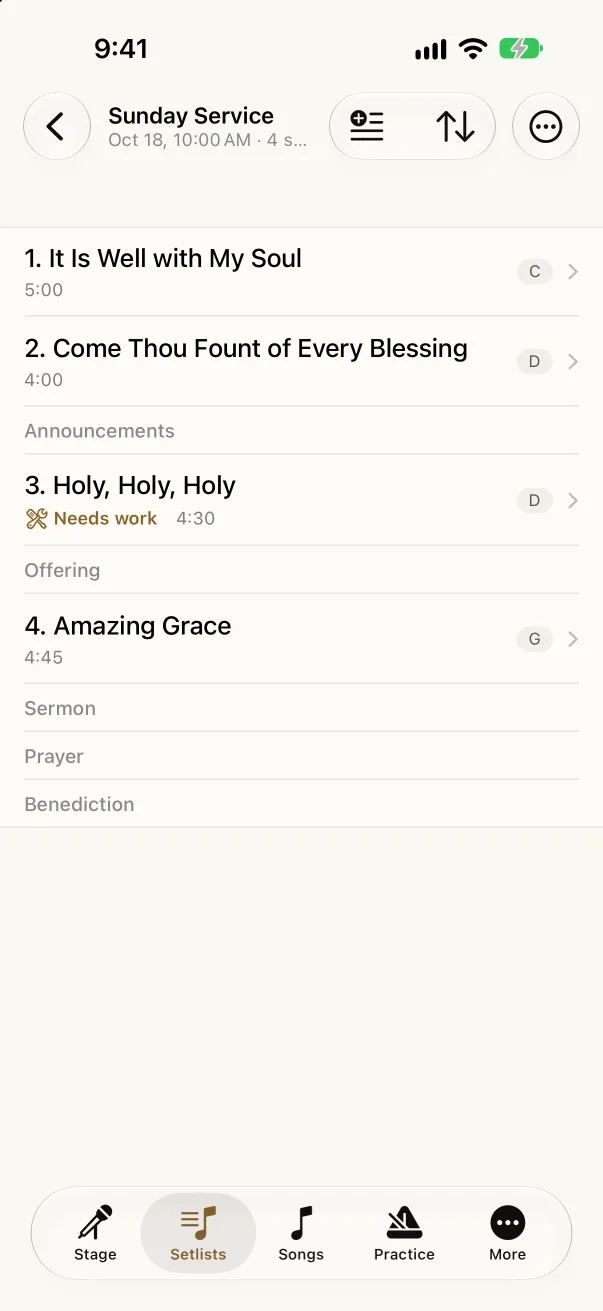
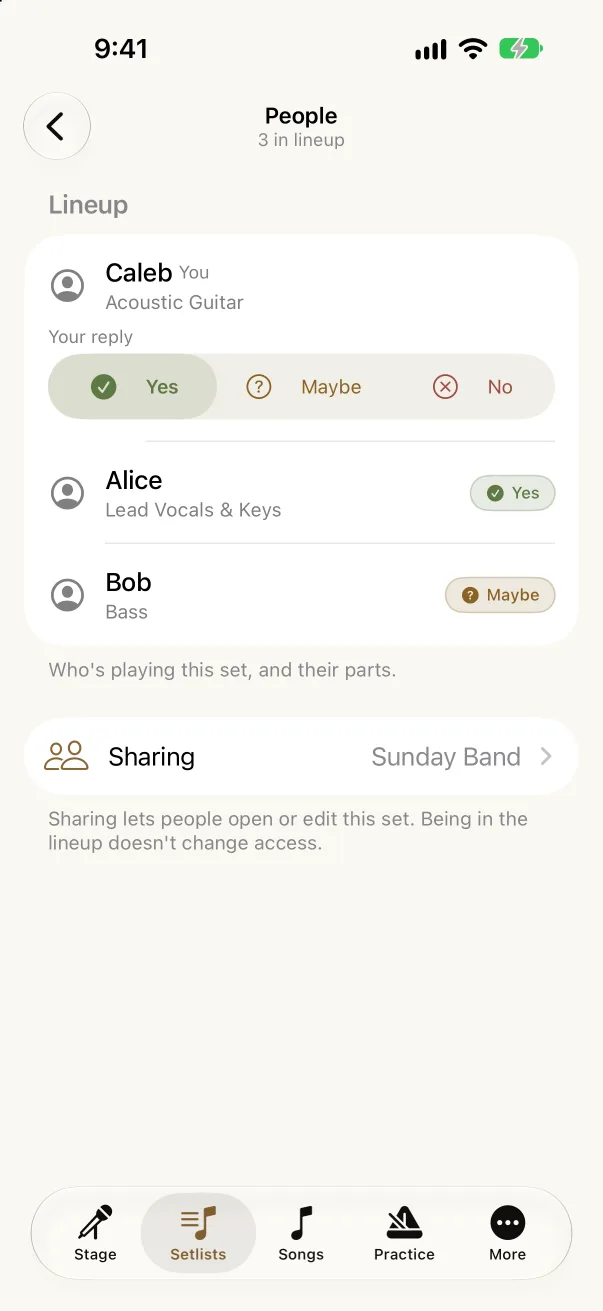
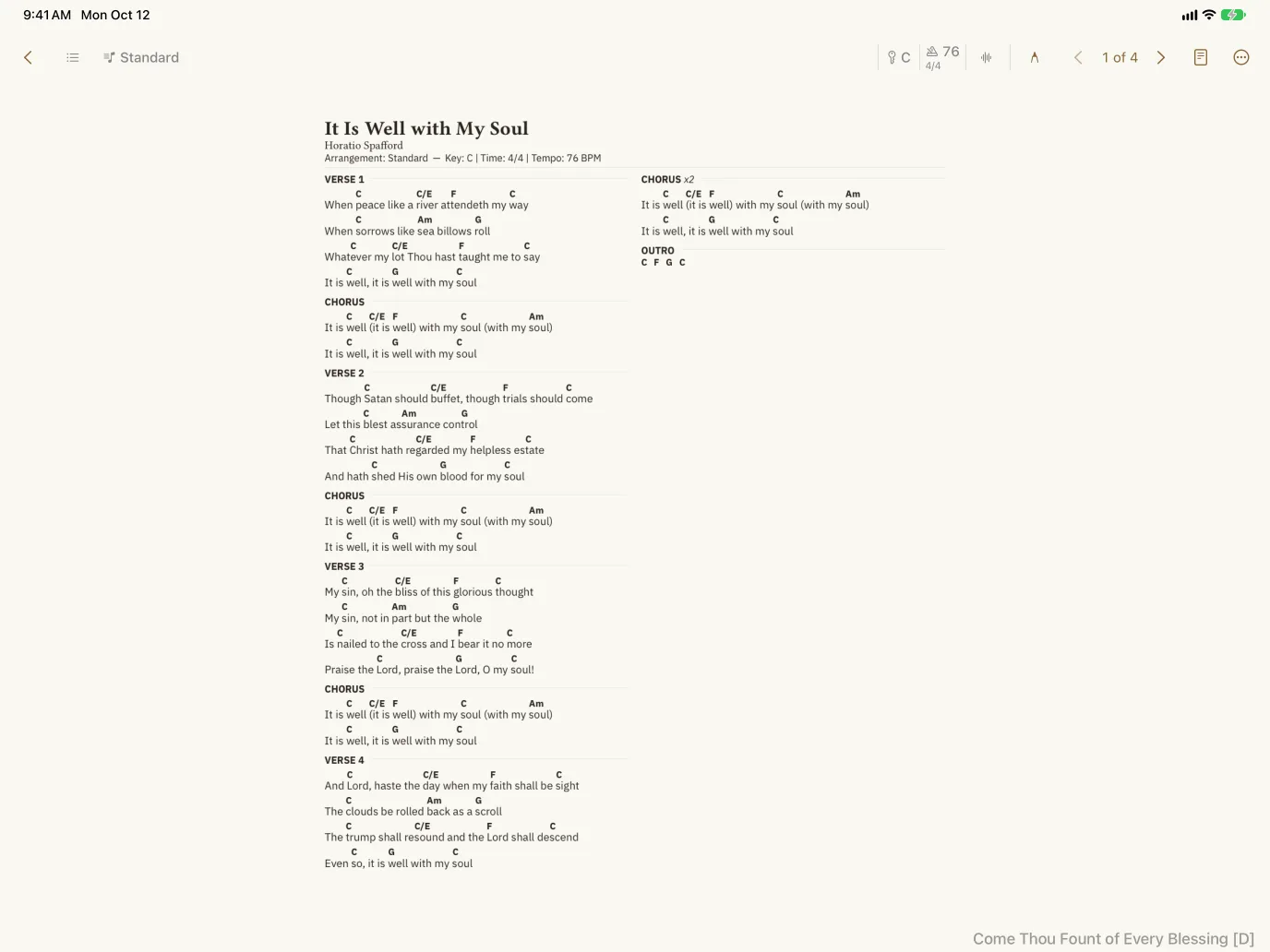
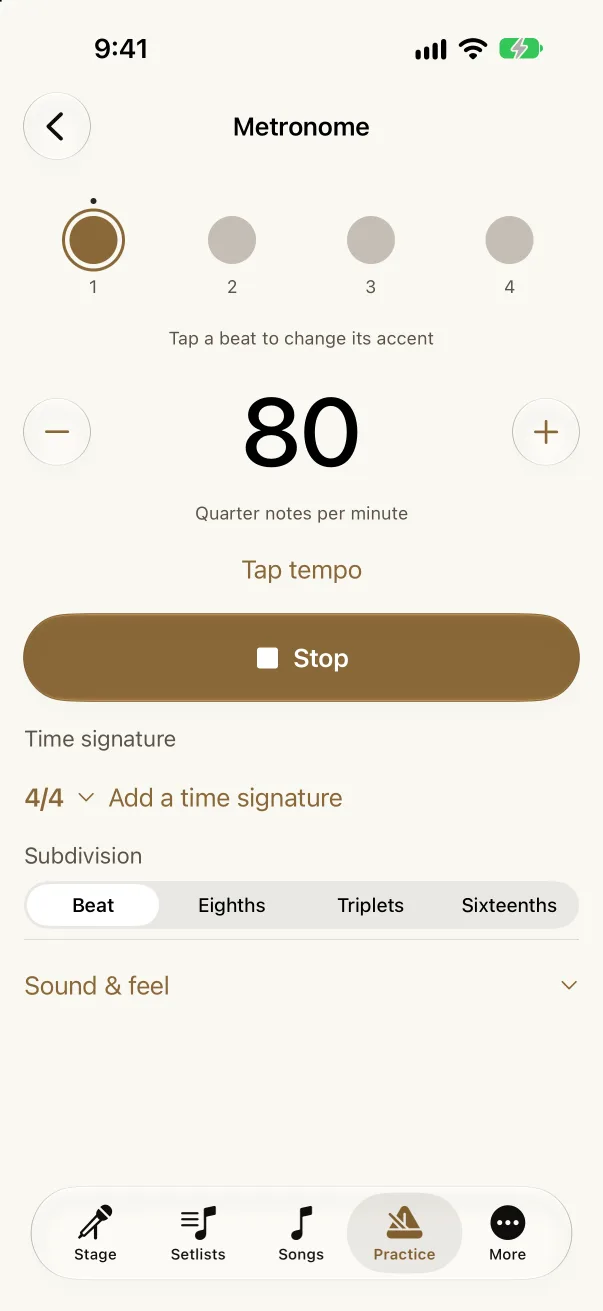
The Stage tab opens the set you’re playing next, with every song’s arrangement and key. It’s the same setlist your band planned on the web, so nobody asks “which version?” again. Count it in with the metronome and go.
Pages lays each chart out like the printed sheet. A Bluetooth pedal turns the page and moves to the next song, so the set runs from the first count-in to the last chord without touching the glass. Mark it up with Apple Pencil, and put the lyrics on a second screen for the room.
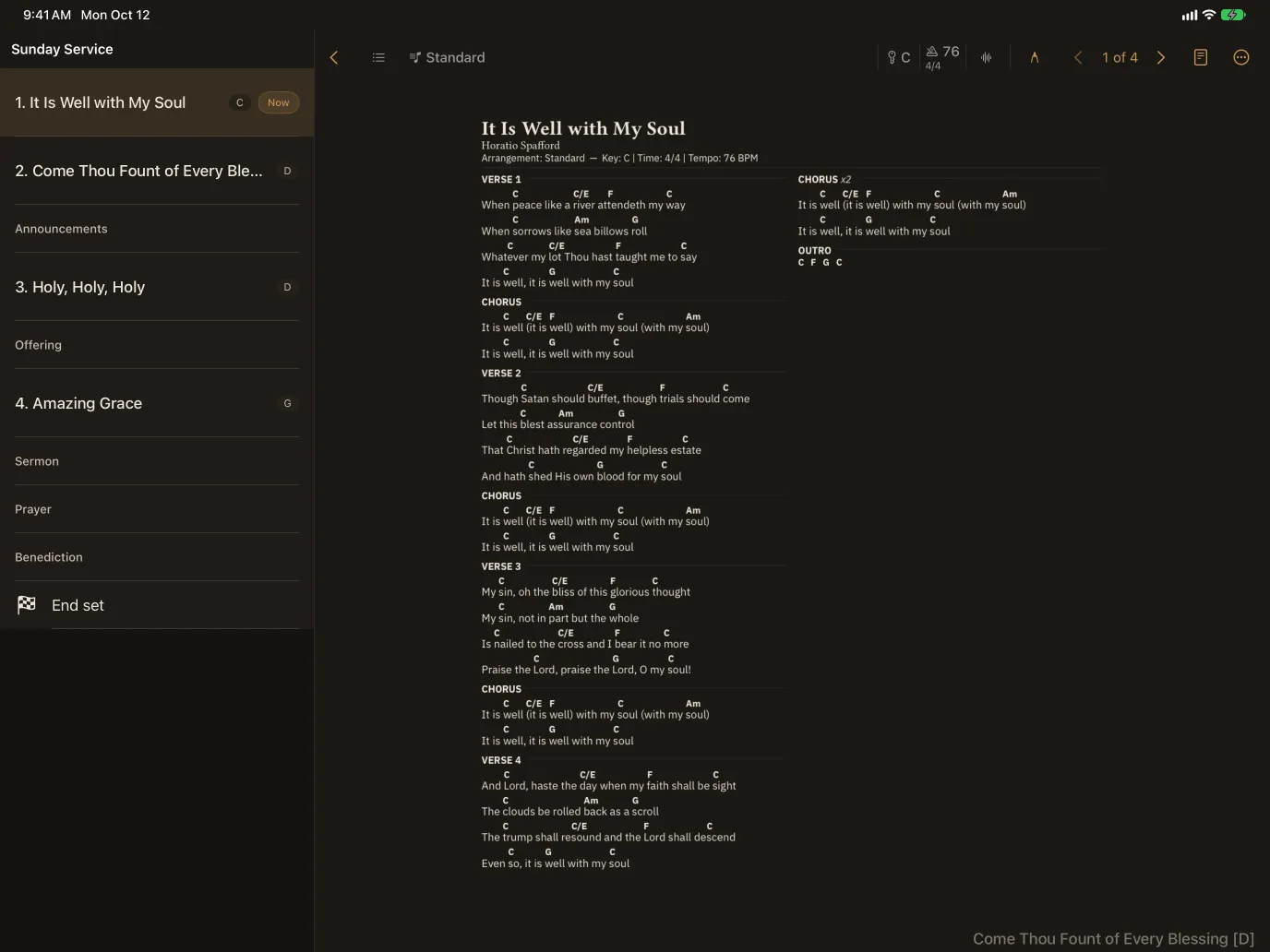
The Stage tab opens the set you’re playing next, in order, with each song’s arrangement and key.
Tap a chord to see its notes on a keyboard, its role in the key, and the shapes to play it.
Tuner, metronome, and the band’s backing tracks, right beside the chart.
Assign a Bluetooth pedal, a MIDI controller, or a keyboard to turn pages and move to the next song.
Each arrangement can send a MIDI preset to your synth or amp, and the metronome can send MIDI clock.
Circle the cue, write the breath. Your marks follow you to the web and into your PDF.
Send lyrics, the chart, what’s next, or a set timer to a TV or monitor, by cable or AirPlay.
Download a set and its recordings before you leave, and play it without a signal.
Invite members, choose who can edit, and see who has confirmed for the set.
There’s nothing to import. The app signs in with your Akordo account, so the charts, arrangements, saved keys, setlists, and groups you keep on the web are already there. Fix a chord on your laptop and it’s fixed on everyone’s iPad.
Plan on the big screen, too: on iPad, your setlists sit beside the open set, so you can reorder songs, add a cue, and check what still needs rehearsal.
Join the public beta
Akordo is in beta through Apple’s TestFlight while we get it ready for the App Store.
TestFlight is Apple’s free app for trying apps before they reach the App Store. Get it on the iPhone or iPad you play from.
Get TestFlight on the App Store →Open the beta link on that device, tap Accept, then Install. TestFlight keeps the app up to date as new builds arrive.
Open the beta link →Use the same email as on the web and your songs, setlists, and groups are already there. New to Akordo? Create a free account right in the app.
TestFlight is Apple’s own app for trying apps before they reach the App Store. Install it from the App Store, open the Akordo beta link, and TestFlight installs Akordo and keeps it updated. To leave the beta, delete the app.
No. The app is free, and your Akordo account and plan are the same on the web, iPhone, and iPad.
Any iPhone or iPad that runs iOS 26 or iPadOS 26 or later.
Yes. Your songs and setlists live in your Akordo account, not in the beta app, so they are there when you move to the App Store version.
Take a screenshot in the app and TestFlight offers to send it to us with a note, or open More › Contact support in the app. We read everything.
Not yet. Akordo works in any modern browser on Android, including Stage mode with a Bluetooth page-turn pedal. See Stage mode.
More in the docs: Akordo on iPhone and iPad.
Join the beta on your iPhone or iPad, sign in, and your band’s songs are ready to play.